
Colorado State Prison Inmate Search is the official online system run by the Colorado Department of Corrections (CDOC) that lets anyone look up people in state prisons. You can search using a DOCNO—a nine-digit number given when someone enters prison—or by entering a first name, last name, or both. The system also lets you pick a gender filter: ALL, MALE, or FEMALE. This helps narrow results when many people share the same name. After filling in the fields, you must count the characters shown in a verification box and type that number to prove you’re not a robot. The search then checks the CDOC custody database and shows key details like custody status, sentencing info, projected release date, and which prison or housing unit holds the person.
How the CDOC Inmate Search System Works
The CDOC inmate lookup tool uses real-time data from the department’s central custody records. When you enter a name or DOCNO, the system scans all active inmate files across Colorado’s state prisons. Results appear within seconds and include the offender’s full legal name, age, ethnicity, gender, and exact location. Each record also links to a full custody summary with more details about charges, sentence length, and behavioral notes. This transparency helps families, legal representatives, and victims stay informed. The system updates daily to reflect new bookings, transfers, releases, and parole decisions.
Search Fields and Filters
You can use up to four search options: DOCNO, last name, first name, and gender. The DOCNO is the fastest way to find someone because it’s unique. If you don’t have it, use the person’s name. Typing just a last name may return many results, so adding a first name helps. The gender filter reduces matches when names are common. For example, searching “John Smith” with “MALE” selected will skip any female inmates named John Smith. Always double-check spelling—even one wrong letter can cause no results.
Verification Step
After entering your search, a box appears showing a random string of characters. You must count them and type the exact number into a field below. This stops automated bots from flooding the system. The count changes each time, so you can’t reuse an old number. If you make a mistake, the system won’t process your request. This step ensures only real people use the tool and protects inmate privacy.
What Information Appears in Search Results
Each search result shows core details about the inmate. These include full name, DOCNO, age, ethnicity, gender, current facility, housing unit, custody level, sentence start date, and projected release date. Some records also list parole eligibility dates and disciplinary history. The system does not show Social Security numbers, medical records, or personal phone numbers. All data comes directly from CDOC’s secure database and is updated every 24 hours.
Custody Status Explained
Custody status tells you if someone is still in prison, on parole, or released. Common statuses are “In Custody,” “Parole Granted,” “Released,” or “Transferred.” If the status says “In Custody,” the inmate is currently held in a CDOC facility. “Parole Granted” means they’re out but supervised. “Released” means their sentence is complete. Always check the date next to the status—it shows when the record was last updated.
Facility and Housing Details
The search tells you exactly where the inmate is held. For example, it might say “Limon Correctional Facility, Housing Unit B, Cell 214.” This helps families send mail or plan visits. Each prison has its own address, visiting hours, and rules. The CDOC website lists all facilities with maps, contact info, and directions. Some prisons have special units for medical care, mental health, or protective custody.
County Jail Searches vs. State Prison Searches
Colorado State Prison Inmate Search only covers people in state prisons, not county jails. County jails hold people awaiting trial or serving short sentences (usually under one year). State prisons hold those convicted of felonies and serving longer terms. To find someone in a county jail, you must use that county’s sheriff website. Most counties let you search by name, booking number, or date of birth. Results show arrest charges, booking date, bail amount, and current location.
How to Find County Jail Inmates
Go to the sheriff’s office website for the county where the person was arrested. For example, Denver County uses a different system than El Paso County. Many counties have online portals similar to the CDOC tool. You’ll need the inmate’s name or booking number. Some sites also let you sign up for alerts when someone is released or transferred. Always call the jail directly if you can’t find the person online—records may not be posted yet.
Using the CDOC Offender Search Portal
The main CDOC search page is at http://www.doc.state.co.us/oss/. It has a simple form with fields for DOCNO, last name, first name, and gender. Below the form is the character-count verification box. Fill in what you know, select a gender if needed, count the characters, and click “Search.” Results load on a new page. If nothing appears, double-check your spelling or try a different name variation.

Tips for Better Search Results
Use the full legal name, not nicknames. If the person uses a middle name, try including it. Avoid initials unless you’re sure that’s how they’re listed. If you get too many results, add the gender filter. If you get no results, the person may be in a county jail, not state prison. They could also be under a different name or recently transferred. Call the CDOC main line at 719-579-9580 for help.
Contacting or Visiting an Inmate
Once you find someone using Colorado State Prison Inmate Search, you may want to visit or write. Each prison has its own rules. You must be on the inmate’s approved visitor list. To get added, the inmate must submit your name to the facility. Visitors need valid ID and must follow dress codes. No cell phones, bags, or food are allowed inside. Visiting hours vary by prison—some are weekends only, others have weekday slots.
Mailing Letters to Inmates
All mail must include the inmate’s full name, DOCNO, and facility address. Use a return address or JPay ID so letters reach the right mailbox. Do not send cash, stamps, or contraband. All mail is inspected. Letters should be plain paper with black ink. Photos are allowed but limited in size and number. Packages must be sent through approved vendors like JPay or Access Securepak.
Email and Electronic Messaging
Many prisons use JPay for email. You create an account, add funds, and send messages. The system prints them and delivers them to the inmate’s housing unit. The inmate can reply using a tablet or kiosk. Messages are monitored and may be delayed. Not all facilities offer email—check the CDOC website for your prison’s policy. Electronic messages cost money, while physical letters are free.
Rehabilitation and Reentry Programs
CDOC offers education, job training, and counseling to help inmates prepare for life after prison. Programs include GED classes, vocational courses in welding and horticulture, substance abuse treatment, and faith-based support. Limon Correctional Facility, for example, serves over 200 people yearly through its faith program. These services reduce recidivism and improve public safety. Inmates can earn certificates and college credits while incarcerated.
Educational Opportunities
Inmates can take accredited GED classes at most prisons. Some facilities partner with community colleges for associate degrees. Vocational training includes auto repair, carpentry, and food service. These skills help inmates find jobs after release. CDOC also offers cognitive behavioral therapy and anger management courses. Participation is voluntary but strongly encouraged.
Reentry Assistance
Before release, inmates work with case managers to plan housing, employment, and healthcare. CDOC connects them with job placement services, ID assistance, and transportation. Some programs provide temporary housing or clothing. Victims can request notifications when an inmate is released or paroled. This helps them stay safe and informed.
Official CDOC Contact Information
The Colorado Department of Corrections headquarters is at 1250 Academy Park Loop, Colorado Springs, CO 80910. Call 719-579-9580 during business hours (Monday–Friday, 8 a.m. to 5 p.m.). Email inquiries go to a protected address for privacy. All services meet ADA standards, including screen-reader compatibility and wheelchair access. The website follows WCAG 2.1 Level AA guidelines.

Visiting Hours and Policies
Visiting hours depend on the facility. Most state prisons allow visits on weekends from 8 a.m. to 3 p.m. Some have weekday evening slots. You must schedule visits in advance through the prison’s online system or by phone. Arrive 30 minutes early for check-in. Bring only ID and keys—no purses, phones, or children under 18 without supervision. Dress modestly: no shorts, tank tops, or revealing clothing.
Limon Correctional Facility Overview
Limon Correctional Facility (LCF) is a medium-security prison two miles south of Limon on Highway 71. It sits on 320 acres, with 36 acres enclosed by a 4,000-foot double-perimeter fence topped with razor wire and motion sensors. The campus has 13 buildings, including a 576-cell housing unit, medical clinic, library, and recreation center with basketball courts and a gym. LCF serves eastern Colorado and holds over 1,000 inmates.

Programs at Limon
LCF offers GED classes, welding certification, and horticulture training. The faith-based program supports more than 200 inmates annually with counseling, Bible study, and life skills workshops. The medical clinic provides routine care, mental health services, and emergency treatment. The library has books, magazines, and legal resources. Recreation includes sports leagues and fitness classes.
Victim Support and Public Safety
CDOC prioritizes victim rights. Families and victims can register for alerts when an inmate is moved, released, or paroled. The department also offers counseling referrals and safety planning. All inmate records are public to promote transparency, but personal details like addresses or phone numbers are removed. This balance protects privacy while keeping communities informed.
How Victims Can Stay Informed
Victims can sign up for VINE (Victim Information and Notification Everyday), a free service that sends alerts by phone, email, or text. You’ll get notified if the inmate’s status changes. You can also call the CDOC Victim Services Unit at 719-579-9580. They provide updates, answer questions, and connect you with local support groups.
Historical Records and Archives
The Colorado State Archives hold historical CDOC documents dating back to 1881. These include Board of Charities correspondence, biennial reports, and prison association records. Researchers can access materials on early reform efforts, inmate populations, and policy changes. The archive is open by appointment and supports academic and legal research.
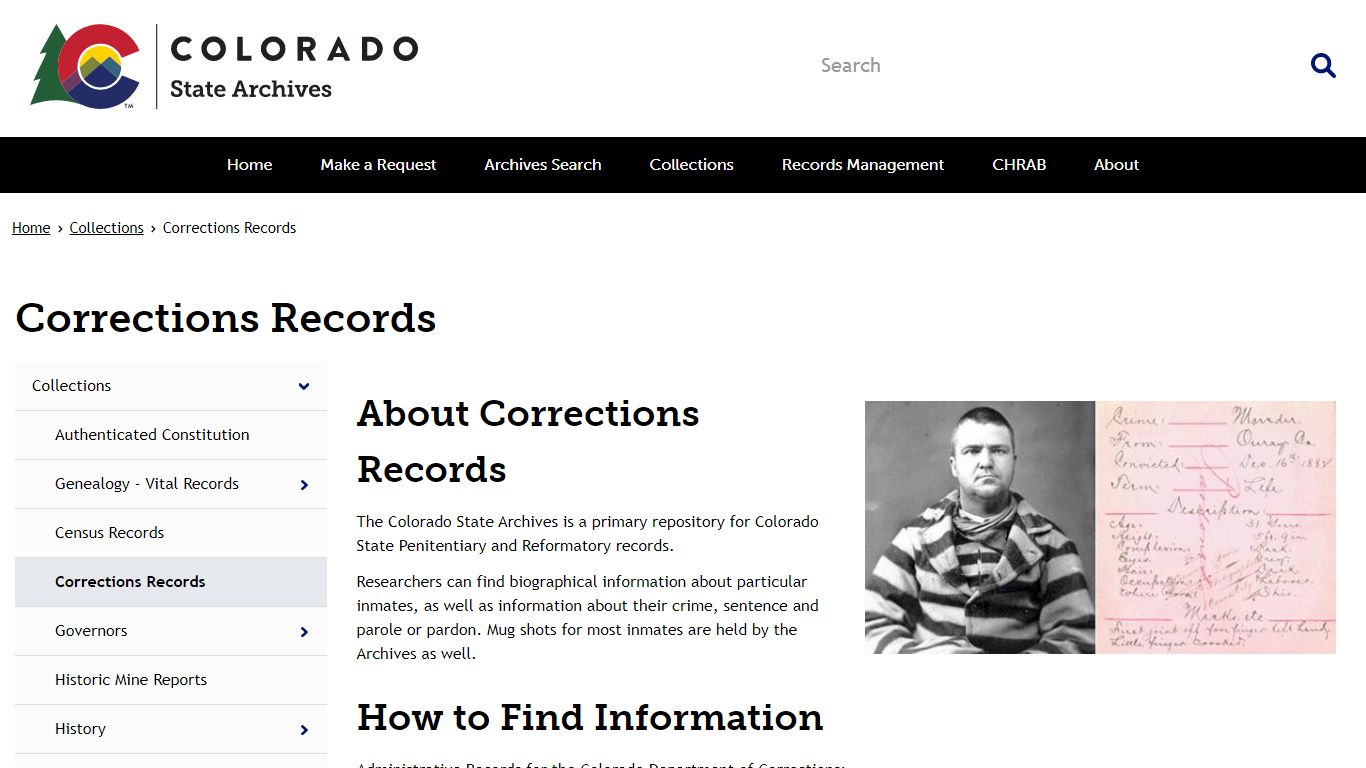
Accessing Historical Documents
Visit https://archives.colorado.gov/collections/corrections-records to browse collections. Use the “Expand All” feature to see full descriptions. Request items in person or by email. Some documents are digitized; others require on-site viewing. Staff can help with research questions.
Frequently Asked Questions
People often ask how to find an inmate, what DOCNO means, or if county jails are included. Below are answers to the most common questions based on CDOC policies and public records.
FAQ: Can I search for someone without their DOCNO?
Yes. You can use just a first name, last name, or both. If the name is common, add the gender filter to narrow results. Always double-check spelling. If you get no matches, the person may be in a county jail or under a different name. Call the CDOC at 719-579-9580 for assistance. The system only searches state prisons, not local jails.
FAQ: Why did my search return no results?
No results usually mean the person isn’t in a Colorado state prison. They could be in a county jail, federal prison, or released. Try searching county sheriff websites or the Federal Bureau of Prisons locator. Also, check for typos in the name. If you’re sure the person is in state custody, contact CDOC directly—records may not be updated yet.
FAQ: How often is the inmate database updated?
The CDOC inmate search updates every 24 hours. Changes like new bookings, transfers, or releases appear by the next day. However, county jails may update less frequently. For the most current info, call the facility directly. Never rely solely on online searches for time-sensitive matters like court appearances or bail hearings.
FAQ: Can I visit an inmate the same day I find them?
No. You must be on the inmate’s approved visitor list. The inmate adds names through their case manager. Approval takes days or weeks. Once approved, you must schedule a visit in advance. Walk-ins are not allowed. Check the prison’s website for visiting hours and rules. Bring valid photo ID and arrive early for processing.
FAQ: Is inmate information confidential?
No. Inmate records in Colorado are public under state law. Anyone can search and view custody details. However, sensitive data like medical history, Social Security numbers, or home addresses are not released. This protects privacy while ensuring transparency. Victims can request additional protections through the Victim Services Unit.
FAQ: How do I send money to an inmate?
Use JPay, Access Securepak, or MoneyGram. You’ll need the inmate’s DOCNO and facility name. Funds go into their trust account for commissary purchases. Cash or checks sent by mail are not accepted. Transaction fees apply. Some prisons limit how much can be deposited per month. Always verify the prison’s policy before sending money.
FAQ: What if an inmate is transferred to another state?
If an inmate is moved to another state through an interstate compact, they’ll no longer appear in Colorado’s search. Contact the receiving state’s Department of Corrections for their new location. CDOC will note the transfer in the record, but details may be limited. Families should stay in touch with the inmate to get updates.
For official help, contact the Colorado Department of Corrections at 1250 Academy Park Loop, Colorado Springs, CO 80910. Call 719-579-9580. Visit https://cdoc.colorado.gov/ for forms, policies, and facility information. All services follow ADA and WCAG 2.1 standards.